Table of Contents
Published on: July 07, 2025 06:28 PM
How
can you send a PDF or other file with the help of WhatsApp Business?
During the contemporary age of instant
messaging, companies are looking for means to make it easier for them to
interact with customers. One of the most widely used instruments of the times
is WhatsApp Business — an advanced
version of WhatsApp developed for
small, medium, and big businesses. Among its numerous capabilities, the
capacity to forward PDFs and other documents through WhatsApp Business has
revolutionized customer interactions, support and WhatsApp Marketing practices.
In this tutorial, we are going to discuss how
to send PDFs and other files via WhatsApp Business and associated platforms
such as WhatsApp Business web, WhatsApp business API and WhatsApp web. We will also examine best
practices for businesses utilizing WhatsApp
automation and why leading WhatsApp
marketing services companies like Xcel
Marketing can assist.
What is WhatsApp Business and Why Use It?
WhatsApp Business is a dedicated app that helps
businesses engage with customers using the familiar WhatsApp platform. It
offers advanced features such as automated responses, labels for organizing
chats and support for sending documents like PDFs, Excel sheets, catalogs,
invoices and more.
✅ Why do send files via WhatsApp Business?
·
It
allows you to instantly share documents with customers or clients.
·
Files
are shared securely and directly to a customer’s device.
·
It
enhances trust and ease of customer communication.
Numerous companies use WhatsApp Business as a
tool in their WhatsApp Marketing. Xcel Marketing is one of the companies
that offer WhatsApp marketing services
in India, such as Bulk WhatsApp
marketing services.
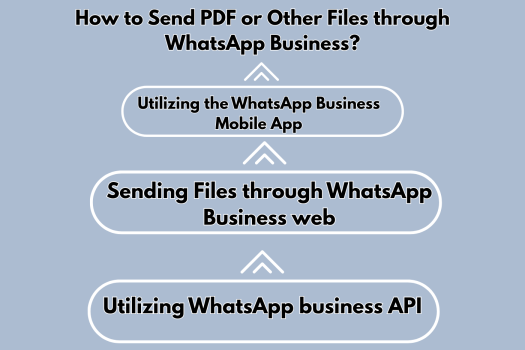
How
to Send PDF or Other Files through WhatsApp Business?
1
Utilizing the WhatsApp Business Mobile App
This is the step-by-step process of sending a
PDF file:
·
Open
your WhatsApp Business app.
·
Head
to the customer or group's chat where you wish to share the file.
·
Tap
the attachment icon (paperclip).
·
Select
Document.
·
Search
for and choose your PDF, Word, Excel, or other file.
·
Tap
Send.
Tip: You can share files up to 100 MB using
this process.
2
Sending Files through WhatsApp Business web
Or, if you want to use your desktop or laptop, WhatsApp Business web or WhatsApp web enables you to directly
send files:
·
Go
to WhatsApp Business web or WhatsApp web on your browser.
·
Use
your mobile app to scan the QR code and log in.
·
Open
the chat you want.
·
Tap
the paperclip icon and choose Document.
·
Upload
and send your file.
✅ This is the best method for
companies that desire to send files directly from the storage on their
computers.
3
Utilizing WhatsApp business API
For big companies with heavy communication
requirements, WhatsApp business API
provides sophisticated solutions:
·
Implement
WhatsApp business API in your CRM or
communication platform.
·
Utilize
API calls to automate the sending of PDF invoices, order confirmations, tickets
and others.
·
Schedule
file sending as part of your WhatsApp
automation workflows.
Companies usually collaborate with Xcel Marketing, a reputed WhatsApp marketing service provider in
Delhi, to undertake API solutions and effectively handle WhatsApp
automation.
Best
Practices to Send Files through WhatsApp Business
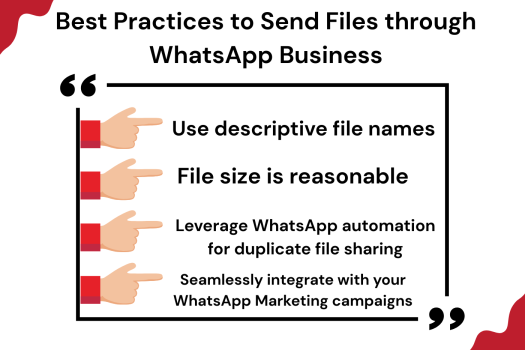
✅ Use descriptive file names
Make sure your PDFs and documents have
professional, descriptive names. For instance:
✔Invoice_12345_XcelMarketing.pdf
✔Product_Catalogue_2025.pdf
✅ File size is reasonable
Though WhatsApp
Business has a 100 MB file size limit, smaller files send quicker and are
more convenient for customers to download, particularly on mobile networks.
✅ Leverage WhatsApp automation
for duplicate file sharing
In the event that you send the same brochure or
price list repetitively, WhatsApp automation saves the day. Using automation
software or WhatsApp business API, you can:
·
Automatically
reply to requests with the relevant PDF.
·
Send
purchase confirmations or receipts as PDFs immediately after purchase.
Xcel Marketing facilitates organizations to
implement such automation as a part of their WhatsApp marketing services in Noida and Delhi.
✅ Seamlessly integrate with your
WhatsApp Marketing campaigns
Strategically use file sharing:
·
Send
catalogs during WhatsApp Marketing offers.
·
Share
terms and conditions or privacy policies as PDFs.
·
Share
eBooks or guides as lead magnets.
Why
Xcel Marketing for WhatsApp Marketing and File Sharing?
If you need to utilize WhatsApp not only for
messaging but also as a complete communication and marketing tool, Xcel Marketing is your go-to partner.
Here's why:
·
Master
of WhatsApp marketing services in India: Small businesses to big enterprises,
they offer end-to-end WhatsApp Marketing solutions.
·
Master
of Bulk WhatsApp marketing services: Send personalized messages and files to
thousands of customers instantly.
·
End-to-end
support in Noida and Delhi: They are a leading WhatsApp marketing service
provider in Noida and Delhi.
·
WhatsApp
business API integration: Make file sharing and customer interaction automatic.
·
WhatsApp automation setup: Minimize manual effort while
maintaining timely, regular communication.
How
to Use File Sharing in WhatsApp Marketing Campaigns?
File sharing isn't limited to customer
support—it can fuel your WhatsApp Marketing initiatives:
Share
promotional PDFs
Send coupons, event invites, or product guides
directly through WhatsApp message to
your customers.
Deliver
catalogs
In a WhatsApp Marketing campaign, sending a PDF
catalog ensures your customers have access to explore your products at their
convenience.
Send
eBooks or guides
Make your expertise a lead magnet. Send a PDF
eBook as part of your WhatsApp marketing
services package.
Send
onboarding documents
If you’re onboarding a client, send welcome
guides, policy documents, or contracts as PDFs through WhatsApp Business or
WhatsApp business API.
Conclusion
In today’s fast-moving digital world, sharing
documents like PDFs through WhatsApp Business is more than a convenience—it’s a
business necessity. Whether you’re sharing invoices, catalogs, contracts, or
marketing material, WhatsApp makes it easy and secure.